

Roman Numeral Tattoo Numbers: Check the Value Before the Font
Check Roman numeral tattoo numbers with worked examples, compare lettering styles and prepare a verified number reference to discuss with your tattoo artist.
Quick answer
Verify the ordinary number first, convert it, then check the result independently before choosing a font. A date also needs an explicit day/month order; a decorative preview cannot verify that meaning.
A Roman numeral tattoo starts with a number you can verify. Decide what the number means, write the ordinary digits beside it, and check the conversion before you choose lettering. A beautiful rendering of the wrong value is still the wrong reference.
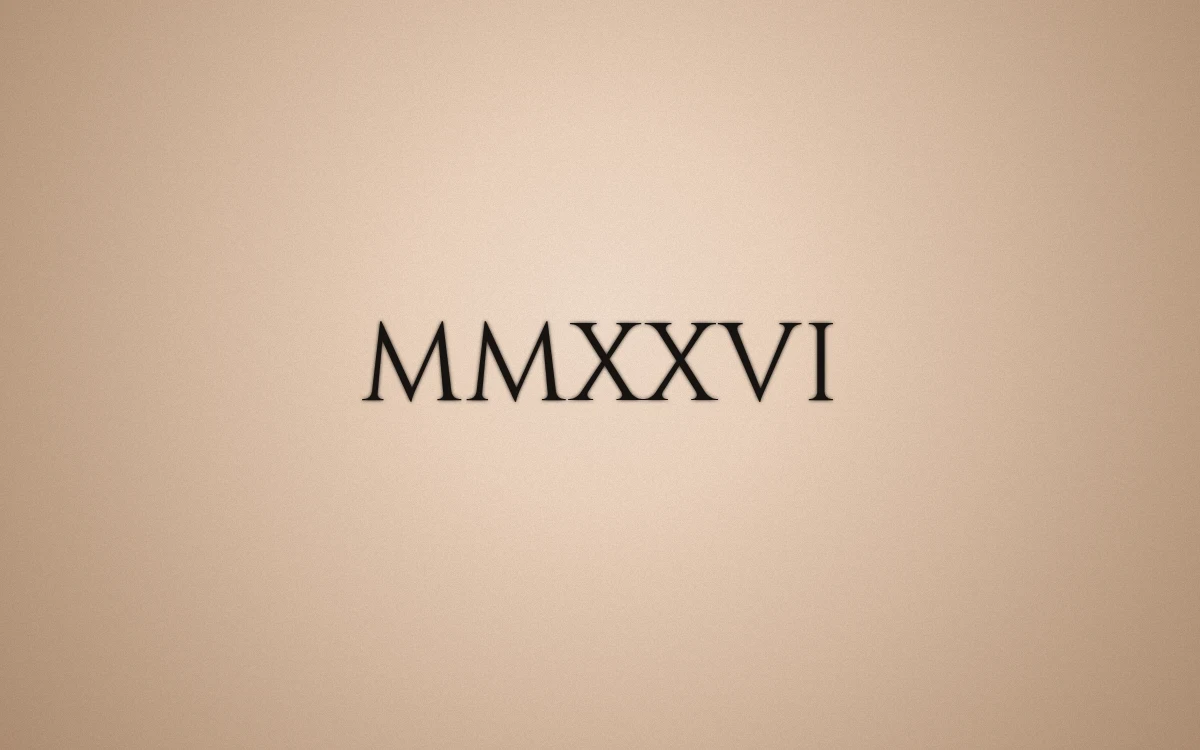
An actual digital lettering preview of MMXXVI, the number 2026. This is not a photograph of a finished tattoo.
Separate the number from its meaning
A year, an age and part of a calendar date are different choices. If you mean a full date, keep its ordinary written form with the design. For example, June 9 and September 6 can both be written with the digits 6 and 9 in different regional orders. Roman numerals do not resolve that ambiguity.
Write the month as a word in your private checking notes. Then decide with your artist whether the final design will show a year alone, several groups separated by dots, or another arrangement. Do not let decorative spacing silently decide the order.
Check a few building blocks
These examples use the usual subtractive convention:
| Ordinary number | Roman numeral | How to check it |
|---|---|---|
| 4 | IV | Five minus one |
| 9 | IX | Ten minus one |
| 14 | XIV | Ten plus four |
| 44 | XLIV | Forty plus four |
| 1994 | MCMXCIV | One thousand plus nine hundred plus ninety plus four |
| 2026 | MMXXVI | Two thousand plus twenty plus six |
The table verifies values, not a particular date or personal meaning. Keep separators separate from the numeral groups when checking the design. A decorative vertical stroke can otherwise look like an extra I.
Use the converter as one check, not your only check
In the lettering studio, choose Roman Numeral and enter a whole number from 1 to 3999. The current tool converts one number at a time; it does not decide the month/day order of a full date for you.
For a result such as MMXXVI, break it back into groups and confirm the ordinary value. Ask another person to check the number independently. If you select the tool's clock-face variation for four, make sure the alternative is a deliberate choice rather than an unnoticed difference.
Compare the exact characters in a font
Once the value is settled, compare the same numeral string in two or three fonts. Look especially at I, V and X, and at the space between groups. An ornate capital can make the start of a sequence feel heavier than the end.
Keep the characters unchanged while comparing fonts. If you also change the number, layout and spacing at the same time, it becomes harder to see which change caused a problem. The tattoo lettering font guide explains a short comparison workflow.
Send both forms to your artist
Save the preferred preview and make a reference card. Include the verified ordinary number or fully written date in your consultation notes, not just the decorative image. Ask your artist to confirm the final lettering, spacing, placement and size.
The exported design is a communication reference, not a professional transfer stencil or an exact physical-size guarantee. Proofread the final version again after any artist edits; a correct first preview does not automatically verify a later redraw.
Make your own
Explore a tattoo concept with the AI generator (free usage is limited), preview lettering with the free font tool, or try a placement preview. AI design references are not professional tattoo-ready stencils.