Coordinate Tattoo Designs: Check the Place and the Format
Check coordinate tattoo wording, directions and number formatting. Create a clear location-inspired lettering reference while keeping private places private.
Quick answer
Verify the location in a mapping service first. Keep latitude, longitude and direction labels consistent, check any rounding, and avoid sharing a private address in a public design reference.
A coordinate tattoo design is a line of numbers with a personal meaning behind it. The visual style comes later: first confirm the location, the coordinate format and the order of the values. A polished preview cannot tell you whether you copied the intended place.
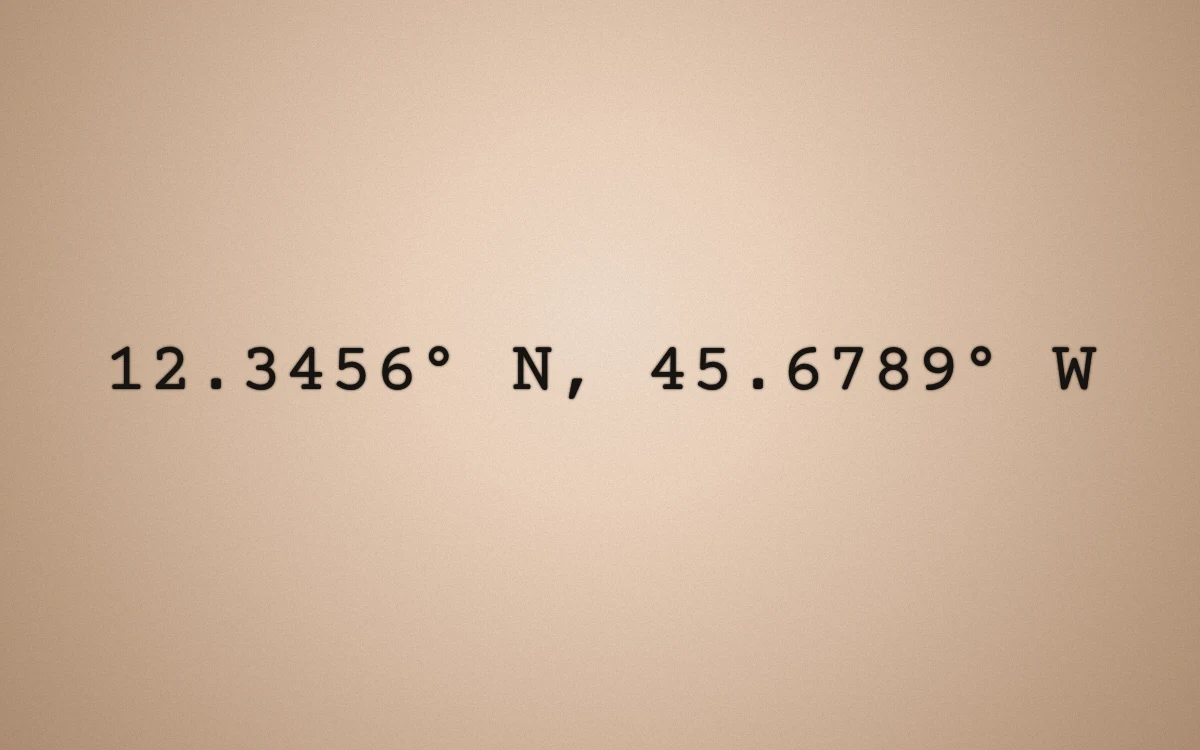
The numbers illustrate formatting only; no personal location or landmark is claimed. This is an actual digital lettering preview, not a finished tattoo.
Verify the location before copying numbers
Use a mapping service you trust and inspect the point itself. A city label, a broad neighborhood and a pin on one building are not interchangeable references. Keep a private note of the location and the source you used to check it.
Do not use the numbers in this article as a place recommendation. The example exists to show how digits, punctuation and direction labels appear in lettering. Your own values need a separate geographic check.
Keep order and direction explicit
Latitude and longitude are different fields. Label them while you work, and keep the same order throughout your notes, preview and consultation reference. When using compass labels, confirm N versus S and E versus W rather than relying on a remembered sign.
Avoid mixing two coordinate formats in one line. Decimal degrees and degrees/minutes/seconds express locations differently. If you change format, verify the converted result on a map instead of copying only the visual punctuation from another person's design.
Check the actual tool output
In the lettering studio, the Coordinates template accepts latitude and longitude and formats them with four decimal places and direction labels. That is a formatting behavior, not a promise that the displayed number is the right location for you.
Compare the generated line with your original notes. Check rounding, both direction letters and the order of the groups. If four decimal places do not match the representation you intend to use, discuss the wording with your artist rather than assuming that adding more digits makes a design better.
Choose a font for the full numeric line
Try the entire coordinate pair in the same preview. A font that makes one numeral appealing may make a long sequence harder to read. Pay attention to the decimal point, degree symbol, comma and spaces between groups.
A typewriter-style option can be a useful comparison, but it is not mandatory. Use the lettering font guide to explore different visual directions. Check missing-character warnings before saving any version that includes a degree symbol or other punctuation.
Keep private locations out of public examples
Decide whether you are comfortable revealing the place to anyone who sees or copies the reference. A meaningful location does not have to be a home address. When sharing an example publicly, you can use a neutral placeholder instead of your personal coordinates.
Save the verified wording and a preferred preview for your artist. Ask them to review the final spacing, size and placement. The file communicates a design idea; it does not provide a professional stencil, verify a place or establish an exact physical scale.
Make your own
Explore a tattoo concept with the AI generator (free usage is limited), preview lettering with the free font tool, or try a placement preview. AI design references are not professional tattoo-ready stencils.