Tattoo Reference vs Transfer Stencil: What to Send
Understand the difference between a tattoo inspiration image, a design reference and an artist-prepared transfer stencil before your consultation.
Quick answer
A reference communicates the idea; an artist-prepared transfer stencil serves a different stage of the process. A downloaded PNG or reference card is not automatically a professional stencil.
Searching for a tattoo stencil often produces a mixture of finished tattoo photographs, outline graphics and downloadable images. Similar-looking files can serve different purposes. Before sending one to a studio, explain whether it shows your subject, a visual direction or artwork you have permission to use.
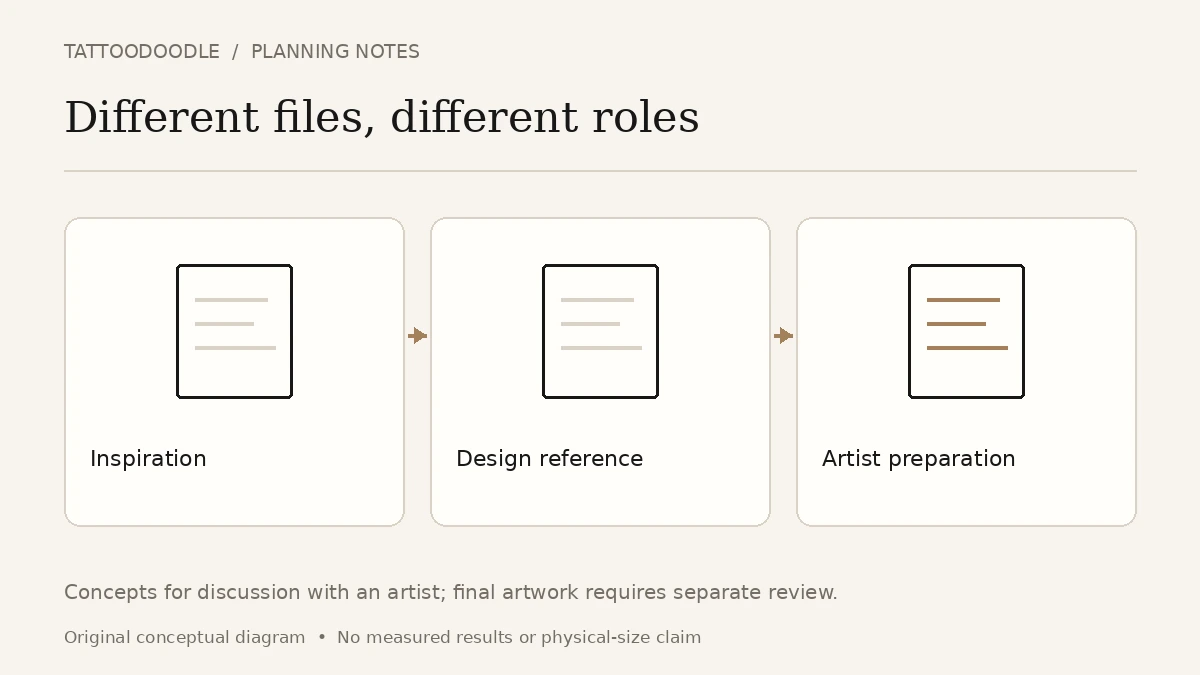
Original planning diagram; not a physical-size proof or completed tattoo.
An inspiration image starts a conversation
An image can show a mood, a silhouette or the arrangement of elements. It does not need to be a file the artist can transfer directly. A clear note such as “I like the open center, but want a different subject” tells the artist how to interpret the reference.
Our stencil ideas collection is a starting point for exploring directions. Choose the detail that matters to you rather than treating every line in an example as an instruction to reproduce it.
A design reference records a preference
A lettering export, rough drawing or reference card can preserve what you have selected so far. Keep its status explicit: concept, wording sample or preferred composition. Include exact text separately when the design contains names, dates or a phrase.
A file extension does not determine this status. PNG describes an image format, not a professional assessment of the drawing. A transparent background can make a graphic easier to place in a document without making it ready for a tattoo procedure.
Transfer preparation belongs to the artist's workflow
The artist needs to decide how the agreed drawing should be prepared for the work. Ask the studio what reference format it wants and how revisions will be reviewed. Do not infer a universal preparation method from a tutorial image or a downloadable outline.
If you already have commissioned artwork, bring the usage permission and ask whether the artist is willing to work from it. Permission to possess a file and permission to reproduce the artwork are separate questions. Avoid copying another person's custom tattoo simply because its photograph is public.
Label the handoff clearly
Use a practical message: “This is an inspiration reference. The subject and open composition matter; I am open to your redraw.” Add the intended placement and any unresolved question. Avoid describing a browser export as a professional stencil or promising exact dimensions from screen pixels.
The stencil guide provides broader context, while tattoo ideas helps explore a starting direction. A useful handoff ends with agreement about what the image means and which decisions remain for the artist, rather than a claim that downloading the file completed the design process.
Make your own
Explore a tattoo concept with the AI generator (free usage is limited), preview lettering with the free font tool, or try a placement preview. AI design references are not professional tattoo-ready stencils.